

 By
By OpenAI’s new ChatGPT image generator promises a major leap forward—featuring improved typography, real-time web access, and built-in reasoning capabilities. To find out if it lives up to the hype, we put ChatGPT Images 2.0 through its paces across a wide range of real-world tasks.
Why It Matters
Previous AI image generation tools captured consumer interest early but consistently fell short for professional and business use due to persistent quality issues. ChatGPT Images 2.0 aims to change that — and the improvements are notable.
What’s New in ChatGPT Images 2.0
The updated AI image engine is now live inside the ChatGPT app and supports a wide range of aspect ratios. It comes in two modes: a standard version and a “thinking” mode with built-in reasoning for more complex image tasks.
All users get access to the standard image generation model, while the advanced thinking mode — which delivers more detailed and accurate results — is reserved for paid subscribers.
Hands-On Testing: What ChatGPT Images 2.0 Can Do
After a full day of testing this AI image generator, here’s what stood out:
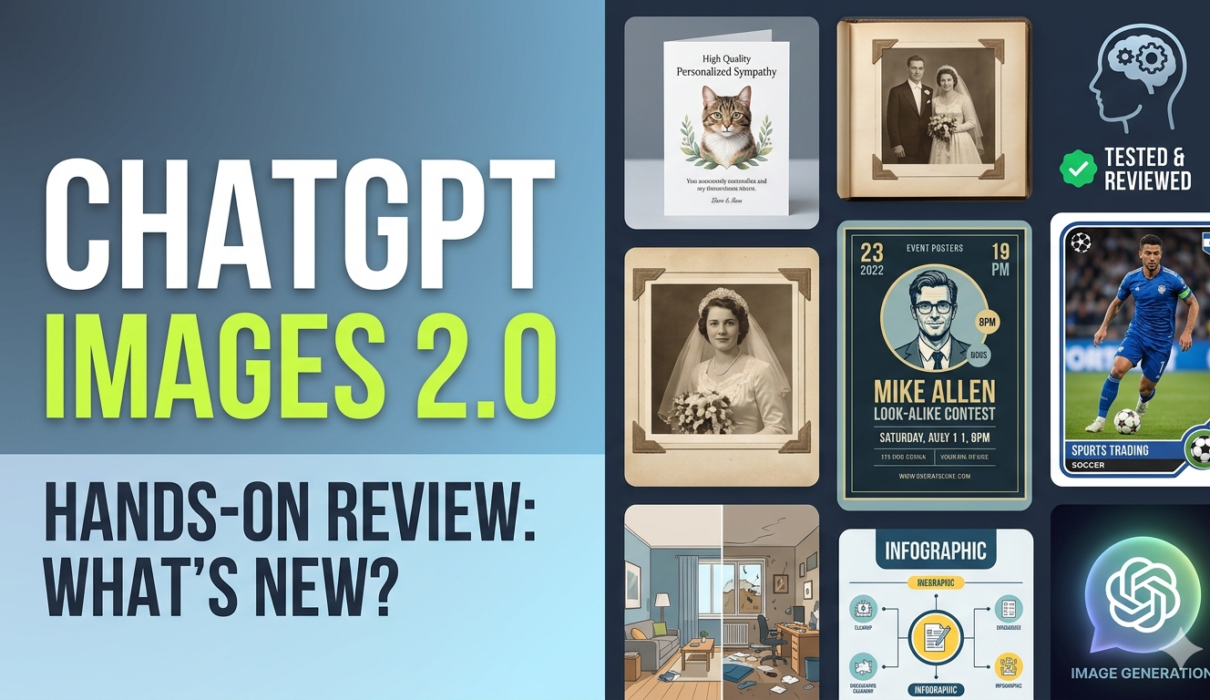
Personalized and emotional imagery: When asked to create a memorial image of a recently deceased cat along with two of its favorite toys, the tool produced something that looked remarkably like a high-quality, personalized sympathy card — a genuinely touching result.
Photo editing and creative layouts: Featuring two wedding photos, the tool seamlessly transformed them into a vintage-style photo album complete with photo corners—an elegant and creative output that impressed with its attention to detail.
Event posters and graphic design: Asked to design a poster for a fictional event — specifically, a Mike Allen look-alike contest in Washington Square Park — the AI image generator delivered a polished, realistic-looking promotional poster.
Infographics: The tool produced a clean, informative infographic making “the case against candy corn.” While it didn’t win over any candy corn fans in the office, the visual itself was sharp and well-structured.
Room cleanup visualization: After uploading a cluttered bedroom photo filled with gadgets, Legos, and clothes, ChatGPT Images 2.0 rendered a clean version of the same room—showing what the space would look like without the clutter. The transformation was striking, though one partner joked they’d be more impressed when the AI could actually tidy the room.
Trading cards from photos: The tool excelled at turning casual sports photos—a softball game and a 13-year-old’s soccer match—into professional-looking trading cards, complete with name, position, and team logo extracted directly from uniforms.
Where ChatGPT Images 2.0 Falls Short
Like any AI image tool, ChatGPT Images 2.0 has its limitations.
When asked to generate a fictional newspaper called the “Smart Brevity Times” based on the latest Axios headlines, it initially pulled from outdated articles rather than current news. A second attempt retrieved up-to-date stories, but the final result looked more like a rough mock-up than a finished publication.
Some outputs also lacked polish. A mahjong cheat sheet request produced accurate content but fell short on visual refinement—functional, but not impressive enough for professional use.
There’s also a speed consideration worth noting: the added reasoning power in thinking mode comes at a cost. Complex image generation requests can take considerably longer to complete than with standard AI image tools, so planning ahead is advisable.
Bottom Line
ChatGPT Images 2.0 represents a meaningful upgrade in AI image generation—particularly for personalized, creative, and emotionally nuanced tasks. The reasoning mode opens up new possibilities that previous tools couldn’t touch. However, it still has room to grow when it comes to polish, speed, and generating content that requires real-time information.
For consumers, it’s an exciting and versatile new tool. For businesses, it’s a promising step—but not yet a complete solution.